Make Beats on a Tablet With the Best Beat Making App for iPad
The best beat making app for ipad writes drums, bass and a melody from a prompt, so a tablet screen is all you need. It opens in the browser with no download.
Make a Beat
- Fast trap beatTablet Trap Bounce0:00 / 0:00
Refresh the page to load the audio.
- Second version of the beatTablet Trap Bounce, Version B0:00 / 0:00
Refresh the page to load the audio.
What a Beat Making App for iPad Gives Tablet Users
- Opens in the tablet browser with no download
- Drums, bass and melody from one prompt
- Slow, mid-tempo or fast pace in the prompt
- Genre choices from trap to lofi
- Downloads in MP3, WAV or FLAC
- Beats play right on the tablet screen
Prompt ideas for the best beat making app for ipad
| Genre | Prompt to type |
|---|---|
| Trap | Fast beat with rolling hi-hats and deep 808 bass |
| Lofi | Slow dusty drums with soft keys |
| Boom bap | Mid-tempo punchy snare with a vinyl feel |
| House | Fast four on the floor kick with bright synth stabs |
Describe and Download in the Beat Making App for iPad
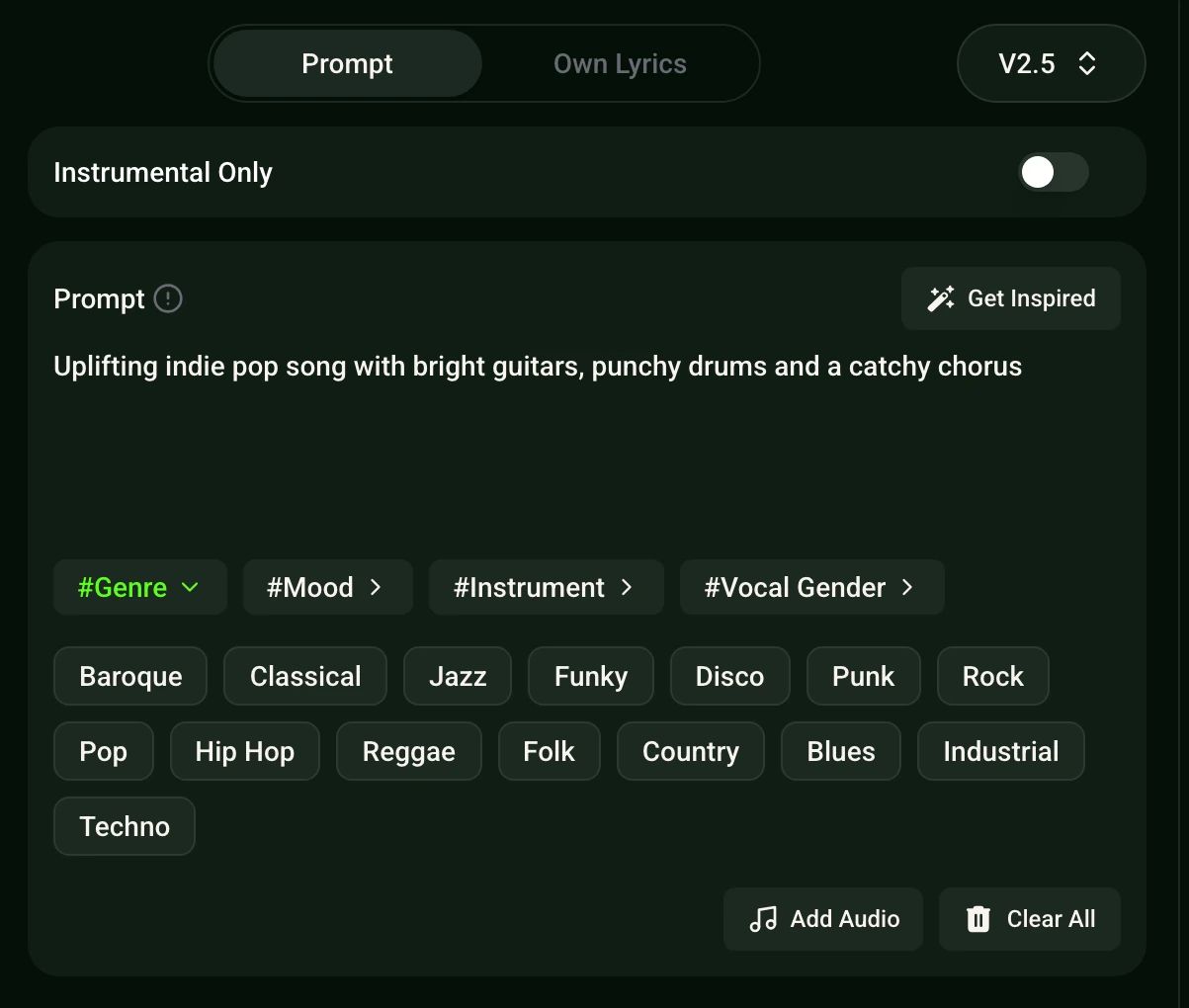
- Open the pageUse the browser on the tablet.
- Describe the beatName the genre, mood and pace.
- Generate and listenAdjust the prompt until it fits.
- DownloadSave MP3, WAV or FLAC.
Uses for Beats From the Beat Making App for iPad
- Freestyle practice
- A fresh instrumental to rap over.
- Video edits
- A beat under short clips.
- Song sketches
- A starting point for a full track.
DJ Tools Beside the Beat Making App for iPad
Write verses over the beat with the Rap Beat Maker, build a full groove in the Music Beat Maker, mix for the floor with the DJ Beat Maker or add chords through the Piano Beat Maker.
Frequently Asked Questions
What is the best beat making app for ipad?
The best beat making app for ipad here is a web app that writes drums, bass and melody from a text prompt, so a tablet browser is all it needs.
How do you use the best beat making app for ipad?
Open AI Beat Generator in the tablet browser, describe the genre, mood and a slow, mid-tempo or fast pace, then generate.
Which file formats can be saved?
Download MP3, WAV or FLAC.
Can the beat be turned into a full song?
Yes. Use Rap Beat Maker or Music Beat Maker to build on the idea.
Does the best beat making app for ipad also work on a computer?
The web app opens in a tablet, phone or desktop browser on any device.